
What Is a Queue Management System? A Small Business Guide
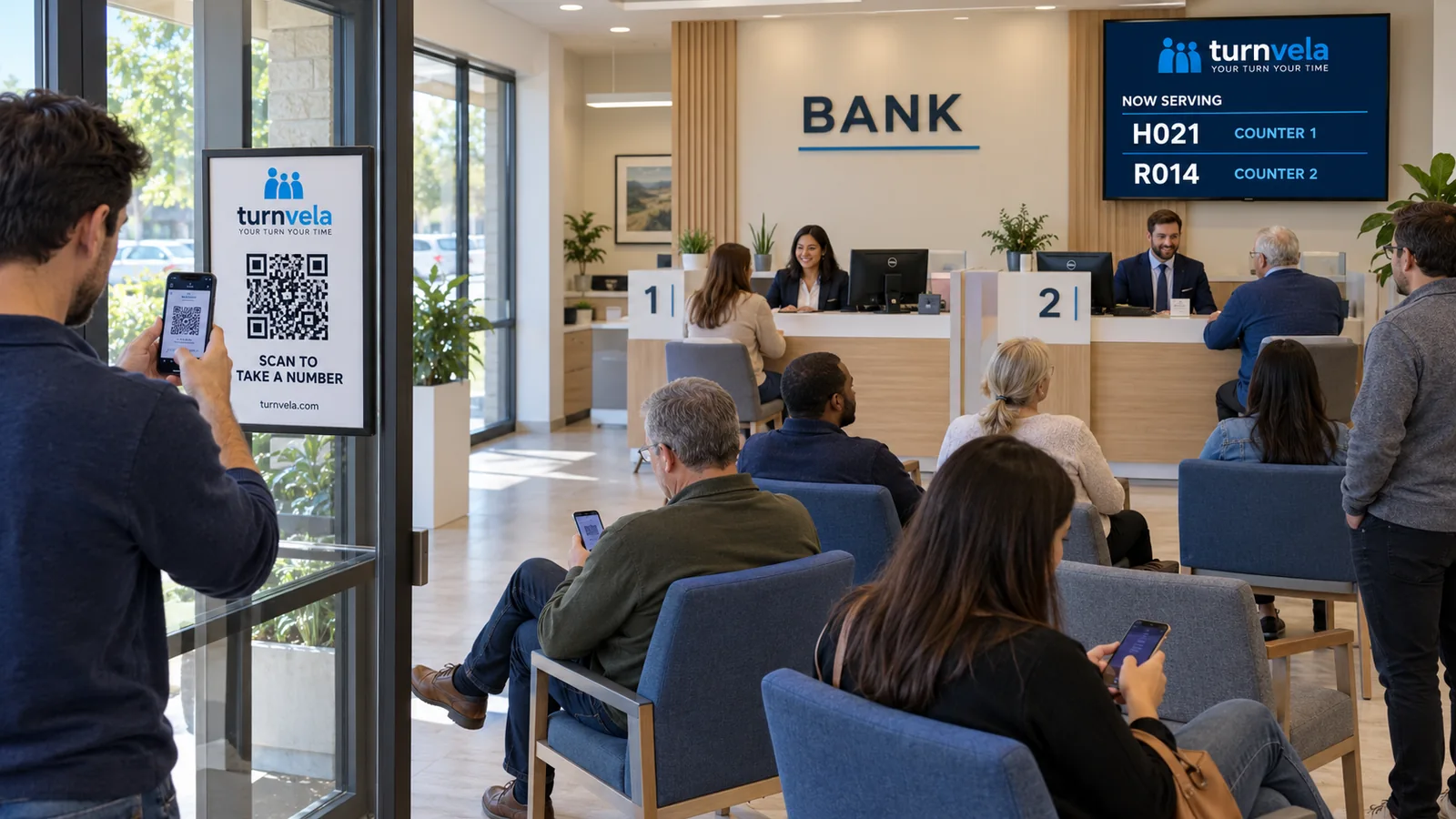
A queue management system organizes the order in which customers receive service. Instead of asking who arrived last or standing in a line at the counter, a customer takes a number and waits to be called. Staff use a service screen to call the next customer to an available counter.
For a small business, the goal is straightforward: make the next step clear to both customers and employees. A system can show which number has been called and where that customer should go. It does not automatically make each transaction faster or create more staff capacity.
How does a queue management system work?
The basic process has three parts. First, the customer joins the correct line for a service. Next, the customer receives a number and waits for a call. Finally, an employee calls that number and identifies the counter or service point. The exact method depends on the system: a printed ticket, a browser-based ticket, or a combination of the two.
In TURNVELA, customers can scan a daily QR code or enter the daily access code to open the business's queue in a web browser. They select a service and take a number. Staff manage calls from their own screen. A public display can help customers see the called number and the counter they should approach.
What is a virtual queue?
A virtual queue separates a customer's place in line from a physical position in the room. Someone can keep a number without standing directly behind the person ahead of them. Depending on the space and the business's instructions, customers may wait in a seating area while following the queue on their original device.
This does not mean customers can ignore the call or assume that any system will contact them by text. Available notification methods vary. Explain how customers should monitor their place and how far they can move while still being able to respond. TURNVELA should not be presented as an SMS notification service or a guaranteed wait-time calculator.
Queue management versus appointment scheduling
An appointment reserves a time for a future visit. A queue organizes people waiting for service, often after they arrive. A business may need one, the other, or both, but they solve different problems. TURNVELA is a queue management tool, not an appointment calendar.
For example, a repair shop may schedule a major repair for next week while using a queue for today's walk-in intake desk. A library may need a simple line for membership questions without scheduling individual appointments. Start by identifying the part of the visit that actually needs a place in line.
What equipment does a small business need?
For a browser-based setup, staff need a compatible device with a web browser and internet access. Customers need internet access for self-service ticket taking on a phone. If you use a public display, check whether an existing screen can open the page itself or needs a connected computer or other compatible device.
A QR poster gives customers an obvious starting point. Put it near the entrance where people can stop safely without blocking the doorway. Test the actual poster under the lighting in your location. A code that looks large enough on a designer's screen may still be difficult to scan after printing.
One service or several separate lines?
Use one shared queue when all available counters do the same work. Customers take a number, and an available employee calls the next customer. Separate queues make sense when different services need different staff, equipment, or handling. Avoid creating a separate choice for every minor variation.
Customer-facing service names should describe a reason for visiting, such as “Document Pickup” or “New Applications.” Internal department codes are rarely useful to a first-time visitor. TURNVELA lets a business assign services to counters. Check those assignments before opening the queue to customers.
What about customers without a smartphone?
A digital process still needs a way to help someone who cannot scan a code, has a dead battery, or prefers assistance. TURNVELA staff can issue a number for a selected service from the staff interface. The employee should then explain the number and where the customer can follow calls.
Do not assume that a staff-issued ticket gives someone the same mobile tracking experience as taking a ticket on their own phone. Treat assistance as part of the normal service process. A clearly visible public display and plain-language instructions help keep that process understandable.
What can the system improve, and what does it not fix?
A well-organized queue makes the order of service visible and gives staff a consistent calling process. It can reduce confusion about which counter to approach. Whether it reduces interruptions or changes waiting time depends on how the business uses it and what caused the original problem.
If demand consistently exceeds staff capacity, a queue screen will not remove the backlog. Review staffing, document preparation, service length, and the busiest periods. Use observations from real operations before claiming a specific improvement. Read our guide to reducing unnecessary standing in line for practical changes.
Frequently asked questions
Do customers need to install an app?
No. TURNVELA works in a web browser. Customers need internet access to take and follow a ticket on their phone.
Can one business use several counters?
Yes. Set up counters and assign the services each can handle. Keep the on-screen names consistent with the signs in your space.
Is TURNVELA free?
TURNVELA is free during the public beta, with no credit card required. Paid plans may be introduced with advance notice; free access is not promised forever.
Ready to plan your setup? Follow our step-by-step setup guide or compare digital and traditional queue systems.