
How to Reduce Standing in Line at Your Business
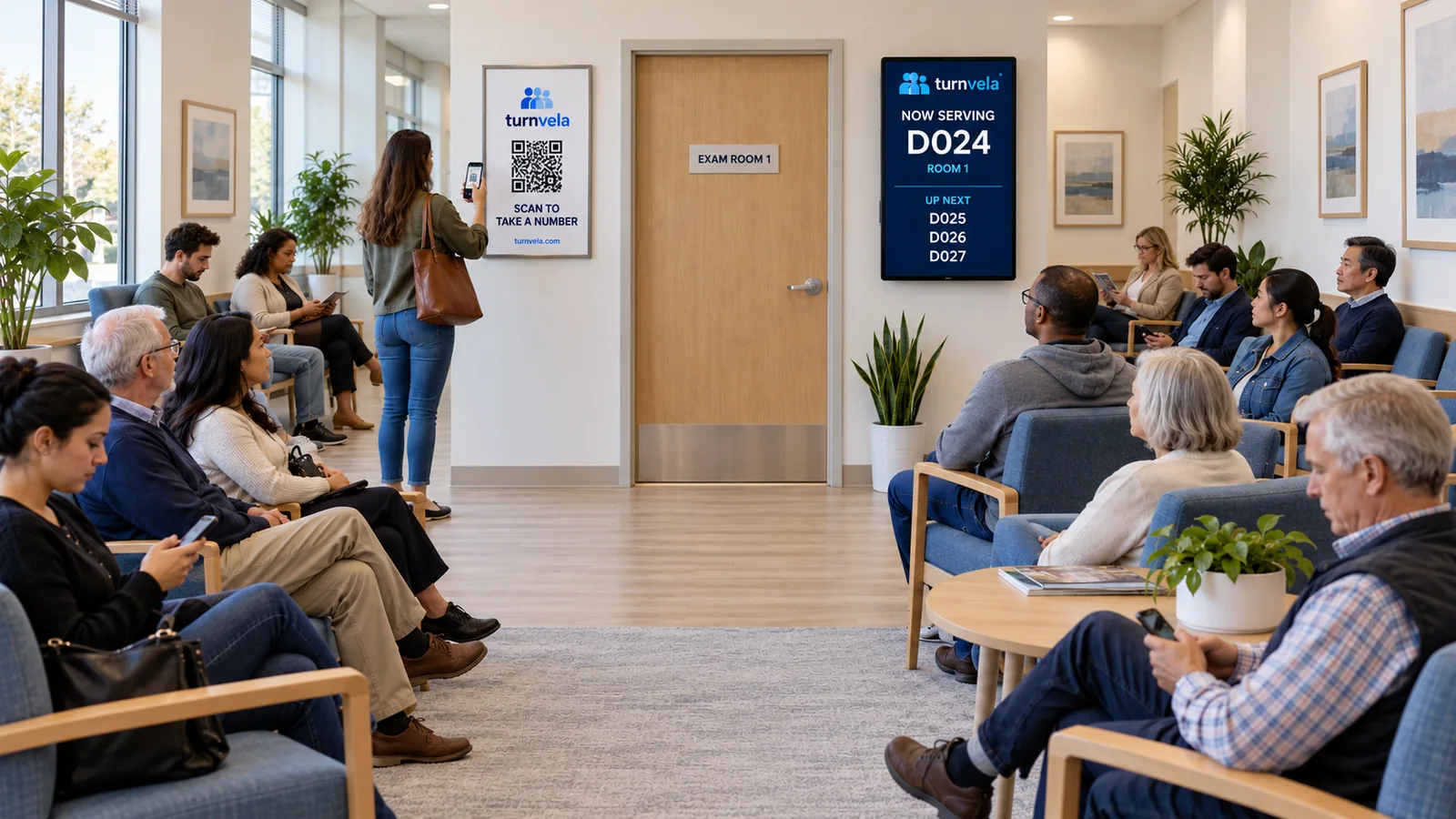
Standing in line and waiting for service are different problems. A customer may still need to wait even when there is no reason to stand at the counter. A digital queue can preserve a place in line while customers use a waiting area, but it does not automatically shorten the work each employee must do.
Start with the part of the experience you can change: how customers join, where they wait, and how they know when to approach. Clear instructions and a consistent calling process often matter more than adding another sign or screen without reviewing the flow.
Find where the line actually forms
Watch the arrival process during a normal busy period. Do customers line up because they need to check in, ask a question, collect paperwork, or receive the full service? If several activities share one narrow counter, the visible line may hide more than one problem.
Write down what people ask and where they stop. A missing form or an unclear pickup instruction can create an avoidable trip to the desk. Fix the information gap before assuming you need another queue. Do not change the workflow based on a single unusually busy day.
Separate joining the line from receiving service
If every new arrival must speak to the employee who is serving someone else, check-in interrupts the work already underway. A clearly marked self-service entry point can give customers a way to take a number without approaching that conversation. Staff assistance should still be available.
With TURNVELA, customers can use the daily QR code or daily access code to open the queue and select a service. The QR code guide explains poster placement and assisted ticket taking. Make the entry point visible before people instinctively form a physical line.
Provide a place to wait without losing a turn
A number is useful only if customers trust that it preserves their position. Explain that calls follow the queue and show where customers should wait. Keep the path from seating to the service counters clear. Customers should not need to stand beside the desk just to hear an employee call softly.
Do not encourage people to leave the area unless they can continue monitoring their call and return appropriately. A virtual queue is not a guarantee that someone can go anywhere without missing a turn. Set expectations that match your space, service process, and available notification methods.
Make called numbers visible and understandable
A public display should identify both the called number and the counter. Match the counter names on the screen to physical signs. A display that says “Counter 3” is not helpful when the room has no visible Counter 3. Check readability from the farthest seating position.
Look for glare and obstructions, and test under the lighting customers will experience. Sound can support a visual call, but it should not be the only cue. People may miss audio in a noisy space or may not be able to hear it clearly.
Use separate services only when they help
Some lines combine quick pickups with longer consultations. Separate service queues may help when different employees can handle those tasks independently. They may also make the experience worse if customers face too many unclear choices or if a queue has no available staff.
Keep one shared line when counters do the same work. Where services differ, assign them to qualified staff and use plain-language names. Our guide to multiple counters and services includes an example. More queues do not create more staff capacity.
Agree on missed-call and break procedures
Customers need a predictable response when someone does not answer a call. Staff should know when to repeat it and what the different skip actions do. Explain the process without exposing internal controls or making promises that your team cannot apply consistently.
Likewise, one counter taking a break should not confuse customers waiting for other counters. Use the appropriate staff controls and let customers know when a whole service is unavailable. Avoid leaving a called customer standing at an unattended desk without knowing whether to wait or return to their seat.
Prepare customers before they reach the counter
If a service needs documents, order details, or a completed form, explain that before the call. Use a short checklist relevant to that specific task. Do not ask customers to display private information publicly or enter unnecessary sensitive details simply to join a queue.
The goal is to reduce preventable interruptions during service. Staff should still verify the information required for the actual transaction through the business's normal process. A ticket number is an organizational tool, not proof of identity or a replacement for service-specific checks.
Measure the change honestly
Choose an observable outcome before making changes. You might record how often customers ask who is next, how many need help joining, or whether the entrance remains clear. Compare similar periods and note staffing levels and arrival volume. Do not present assumptions as measured savings.
If the backlog continues growing, review staffing, service length, and the busiest hours. A clearer waiting area may improve the experience without reducing total wait time. Those are separate outcomes, and both should be described accurately when deciding what to change next.
Keep a simple fallback process
TURNVELA needs internet access. Agree on a temporary process if a device or connection fails, such as having one employee maintain a written order of arrivals. Keep customers informed so they do not join two competing lines. A temporary paper list does not automatically synchronize back into the application.
When service resumes digitally, reconcile the waiting order before calling new numbers. Rehearse unusual situations in a separate test business rather than changing a live line for practice. The simpler the fallback, the easier it is for staff to use under pressure.
Frequently asked questions
Will a digital queue eliminate waiting?
No. It organizes the order of service. Waiting still depends on demand, staffing, and how long each request takes.
Can customers wait without standing at the counter?
Yes, if the business provides a suitable waiting area and a clear way to follow calls. Explain where to wait and how to respond.
Can we try TURNVELA without a credit card?
Yes. TURNVELA is free during the public beta. Paid plans may be introduced with advance notice.
Use the setup guide to turn these decisions into a working process.