
How does TURNVELA work?
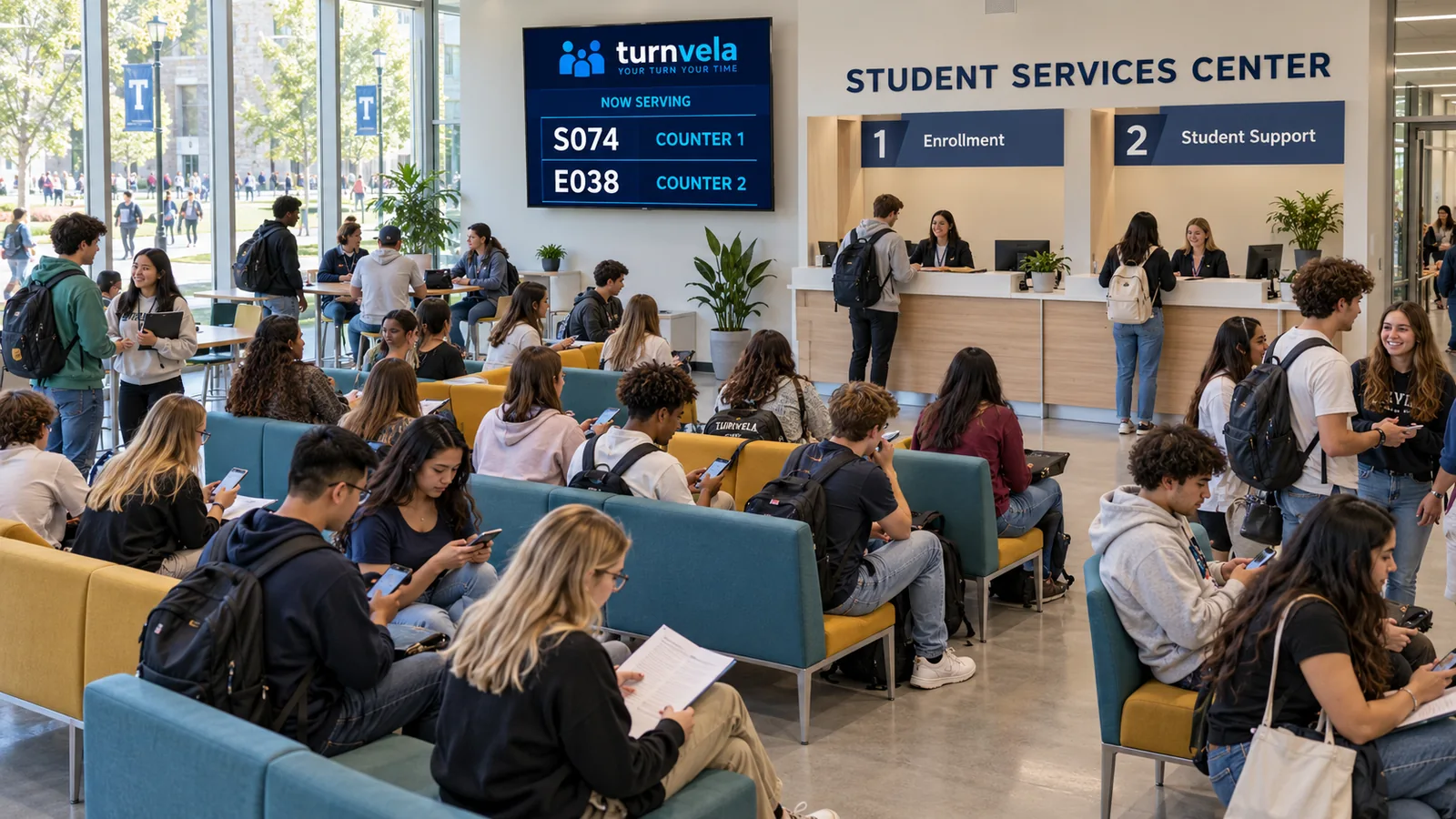
Give students a clear waiting order for enrollment questions and document services. Calls use ticket numbers rather than publicly displayed visitor names.
Set up your queue
Create your location and the service customers will wait for. Display the daily QR code and access code at the entrance.
Take a number
Visitors receive an available number and can see how many people are ahead of them on their original device.
Call the next visitor
An employee calls the next number. The called number and service counter appear on the public display.
Example: enrollment and document services
Give students a clear waiting order for enrollment questions and document services. If the location offers several services, the owner can create separate queues and assign them to the appropriate counters. Visitors do not need to install an app or create an account.
TURNVELA organizes waiting lines and service calls. It does not provide appointment scheduling, payments, order processing, or medical record management.
Where do lines form, and who benefits?
At student services, visitors may arrive at different times without knowing when staff will be available. Without a clear order, some stay at the desk while others ask who is next, interrupting the employee's work. A digital queue lets people take a number and follow their place without standing continuously at the counter. TURNVELA is a browser-based queue tool; it is not a complete management platform for the organization.
A practical example
During enrollment periods, students may arrive for certificates, application drop-off, or questions about documentation. A queue can separate the administrative service line from the waiting area without calling names. TURNVELA does not process college applications, verify student status, or connect to campus information systems. The number simply directs a student to a service desk.
Assign services and counters
If different documents are handled at different desks, create service queues that match those responsibilities. Keep the names understandable to a new student. During peak periods, show where to take a number and which documents should be ready before the call. Clear preparation instructions can reduce repeated questions at the counter.
What does TURNVELA do?
The location owner sets up services, counters, and business hours, then prepares the daily QR poster. At the entrance, visitors scan the code or enter the daily access code on the website. After taking a number, they can follow the number of people ahead on the original device. An employee calls the next person when ready, and the public display shows the called number and counter. This keeps basic queue communication in a web browser without an additional app.
Does the queue show an exact wait time?
The number of people ahead is not an exact estimate in minutes. Services take different amounts of time, employees take breaks, and some visitors miss their calls. Explain that queue position is an indication of order. A digital queue can reduce unnecessary standing, but it does not increase staff capacity or remove service bottlenecks on its own.
Important limits of the system
Keep assistance available for students without smartphones and people who need an accessible alternative. Agree on what happens if a student leaves for class and misses a call. A queue ticket is not an appointment or permission to bypass the institution's procedures.
Accessibility and customer assistance
Provide short, readable instructions at the entrance and help for visitors who do not use smartphones. People should be able to follow numbers on a public display as well as a personal device. Queue names and public screens should not reveal personal details or reasons for visiting. Each location remains responsible for its own data handling, safety, and accessibility requirements.
Check the setup before opening
Rehearse with one queue and one counter in a separate test location. Check the QR code and daily access code, and practice repeating or skipping a call. Match the counter labels in the room to those on the screen. Agree on the procedure for staff breaks and customers who do not respond. Clear operating rules help prevent confusion during a busy shift.
Getting started with the free beta
TURNVELA is available free during the public beta, with no credit card required. Paid plans may be introduced with advance notice and no automatic billing. To get started, register your business, then adapt the queues to your actual workflow. Explore the TURNVELA blog and other industry pages for additional examples.
Practical questions
Do visitors need to install an app?
No. Visitors take and follow a number through a browser using the daily QR code or access code.
Is a queue system the same as appointment scheduling?
No. A digital queue organizes service calls; it does not reserve future appointments.
What happens if someone misses a call?
Staff should follow the location's agreed procedure, including repeating or skipping the call.
Frequently asked questions
How does TURNVELA help this type of business?
Give students a clear waiting order for enrollment questions and document services. Visitors can see their number and queue status on their phone.
Do we need a dedicated ticket dispenser?
No. Visitors can scan a QR code or enter the daily access code on the website. A compatible existing TV or screen can be used for the public display.
Is an app installation required?
No. Visitors and employees use TURNVELA through a web browser.
Is TURNVELA free?
Yes, during the public beta. Paid plans may be introduced with advance notice. There is no automatic billing.