
How does TURNVELA work?
Organize waiting at the library service desk and make the next call clear. Calls use ticket numbers rather than publicly displayed visitor names.
Set up your queue
Create your location and the service customers will wait for. Display the daily QR code and access code at the entrance.
Take a number
Visitors receive an available number and can see how many people are ahead of them on their original device.
Call the next visitor
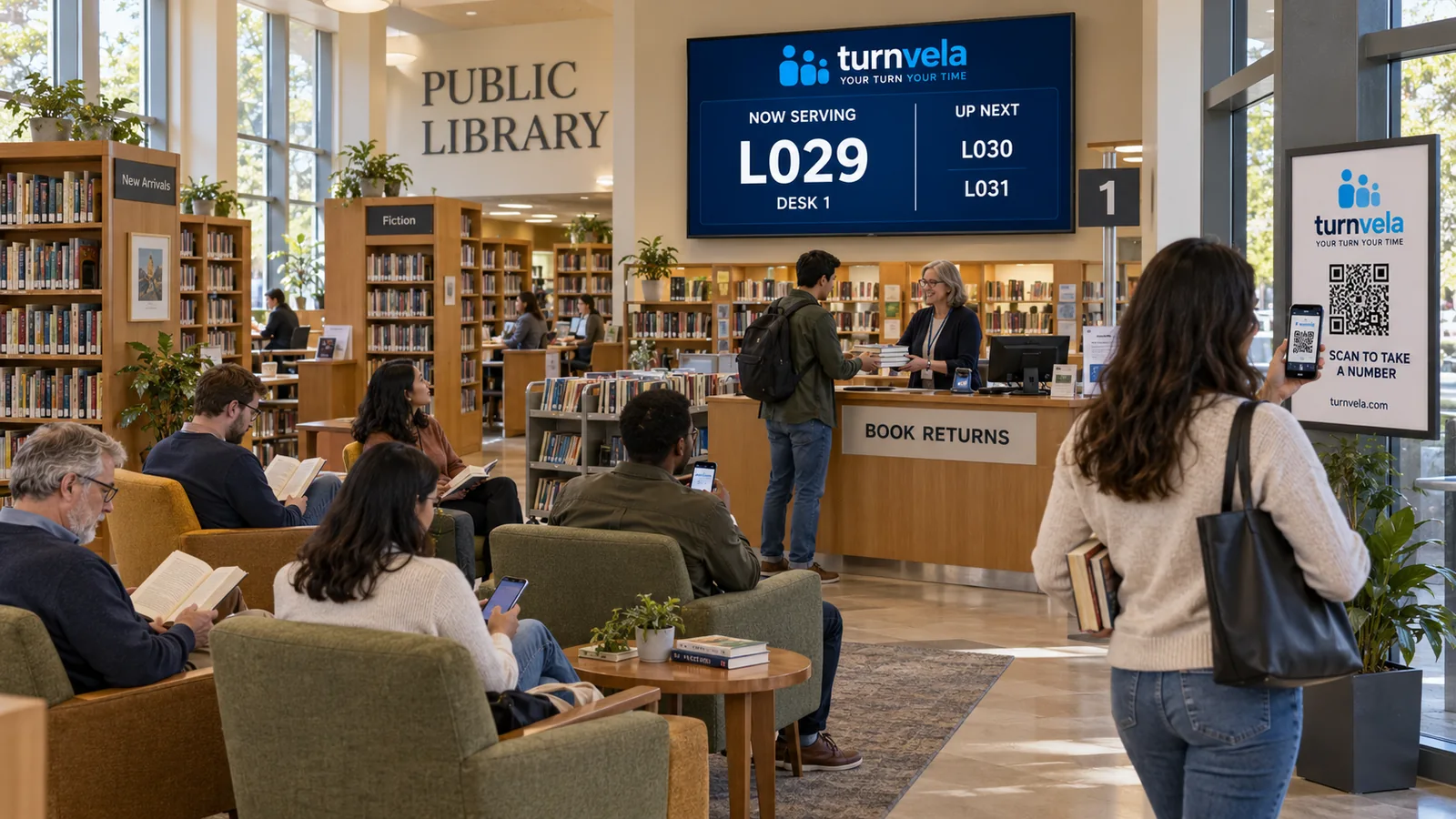
An employee calls the next number. The called number and service counter appear on the public display.
Example: library service-desk visits
Organize waiting at the library service desk and make the next call clear. If the location offers several services, the owner can create separate queues and assign them to the appropriate counters. Visitors do not need to install an app or create an account.
TURNVELA organizes waiting lines and service calls. It does not provide appointment scheduling, payments, order processing, or medical record management.
Why does a clear waiting order matter?
For libraries, a queue system should provide a clear service process. When several people arrive together, staff can spend time explaining who is next instead of handling the current request. A ticket number separates a place in line from standing at the counter. The organization still needs to set operating rules, choose suitable services, and assist anyone who does not use a mobile device.
An everyday example
Library service desks may handle new memberships, cards, requests for help, and general questions at the same time. A queue can make the order for speaking with a librarian clear without calling people by name. TURNVELA does not connect to the library catalog, loans, book holds, or late fees. It is worth considering for a genuinely busy desk; a quiet library may not need a queue system.
Set up services and counters
If a separate membership desk is available, create a dedicated queue only when librarians can monitor it. Explain briefly how visitors get a number and where calls appear. Too many digital steps would work against straightforward service. For a small library, one QR poster and a compatible existing display may be enough to begin.
What do customers and staff see?
Start with a clearly named service and only the counters that are actually available. The owner configures the location, queues, and hours, then prepares the daily QR poster. Visitors scan the code or enter the daily access code and see how many people are ahead on their device. Employees call the next person when ready, while the public display shows the called number and counter.
How predictable is the wait?
The number of people ahead is not a calculated wait time. Service length, interruptions, staff breaks, and different requests can affect the line. TURNVELA makes the order easier to follow, but it cannot guarantee faster processing. Instructions should explain what happens after a missed call, including when staff repeat or skip it.
Privacy, safety, and responsibilities
Children, older visitors, and people without smartphones should be able to request staff assistance. Calling a number instead of a name limits what appears publicly, but the library still needs to review its own policies for using digital tools.
Prepare before the first day
Customers need a readable entrance sign and QR poster. Check the queue on a phone and the public display from the waiting area, and confirm that internet access works in the space. An old daily code should not issue new tickets. At the start of a shift, staff need to know which queues they handle and what to do during breaks or closing.
What does a queue system not do?
A digital queue can support basic calling without integrating with other business software. It does not replace service records, payments, documentation, or the location's compliance responsibilities. Choose queue names that do not reveal sensitive information. If something is unclear, review the settings and explain how visitors can get help without a phone.
Try the free public beta
TURNVELA can be tried free during the public beta, with no credit card required. Paid plans may be introduced with advance notice, without automatic billing. Start by registering, rehearse calls at one counter, and then bring other counters into the process. The blog has QR code guides and examples for other industries.
Common questions
Do customers need to download an app?
No. Customers follow the queue in a web browser without installing an app.
Can someone visit without a phone?
Yes. Your location needs an assisted ticket-taking process and a public display customers can follow.
Read the TURNVELA guides, explore other industries or register your business free during beta.
Frequently asked questions
How does TURNVELA help this type of business?
Organize waiting at the library service desk and make the next call clear. Visitors can see their number and queue status on their phone.
Do we need a dedicated ticket dispenser?
No. Visitors can scan a QR code or enter the daily access code on the website. A compatible existing TV or screen can be used for the public display.
Is an app installation required?
No. Visitors and employees use TURNVELA through a web browser.
Is TURNVELA free?
Yes, during the public beta. Paid plans may be introduced with advance notice. There is no automatic billing.